HBC INDICATOR LIGHT (GREEN)/HBC WARNING LIGHT (AMBER)
Purpose
HBC indicator light (green)
The HBC indicator light (green) notifies the driver that the high beam control (HBC) system is operating.
HBC warning light (amber)
The HBC warning light (amber) warns the driver that a malfunction is occurring in the high beam control (HBC) system.
Functions
HBC indicator light (green)
The instrument cluster turns the HBC indicator light (green) on based on the system conditions display request signal sent from the forward sensing camera (FSC) as a CAN signal.
HBC warning light (amber)
The instrument cluster turns the HBC warning light (amber) on based on the system conditions display request signal sent from the forward sensing camera (FSC) as a CAN signal.
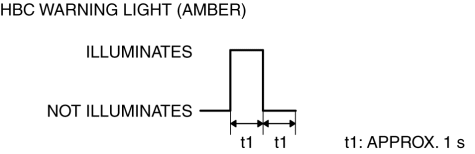
The instrument cluster flashes the HBC warning light (amber) based on the system malfunction display request signal sent from the forward sensing camera (FSC) as a CAN signal.
The flash pattern of the HBC warning light (amber) is as indicated in the table.
Construction
The HBC indicator light (green) and HBC warning light (amber) are built into the instrument cluster.
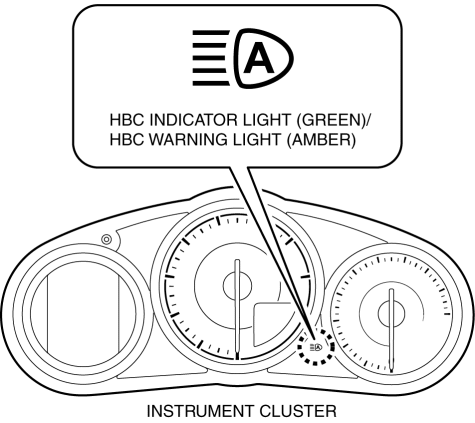
A warning message is indicated in the center display when the HBC warning light (amber) is turned on. (With center display) For the message content and verification method, refer to the [CENTER DISPLAY]. (See CENTER DISPLAY [WITH CENTER DISPLAY].)
Operation
HBC indicator light (green)
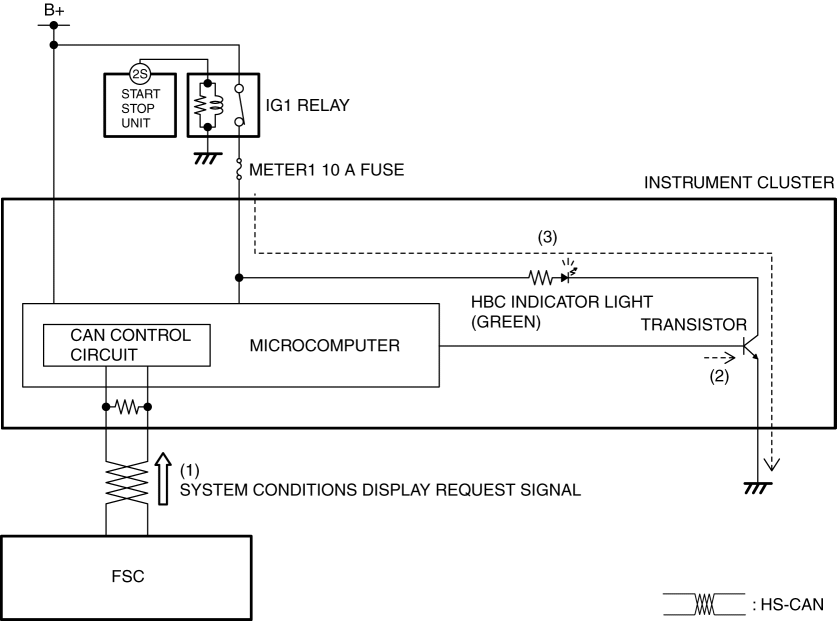
When the high beam control (HBC) system operates, the forward sensing camera (FSC) sends (1) a system condition display request signal to the instrument cluster via CAN communication.
The instrument cluster turns the transistor on (2) based on the system condition display request signal.
When the transistor turns on, a ground circuit with the HBC indicator light (green) is established, and the HBC indicator light (green) turns on (3).
HBC warning light (amber)
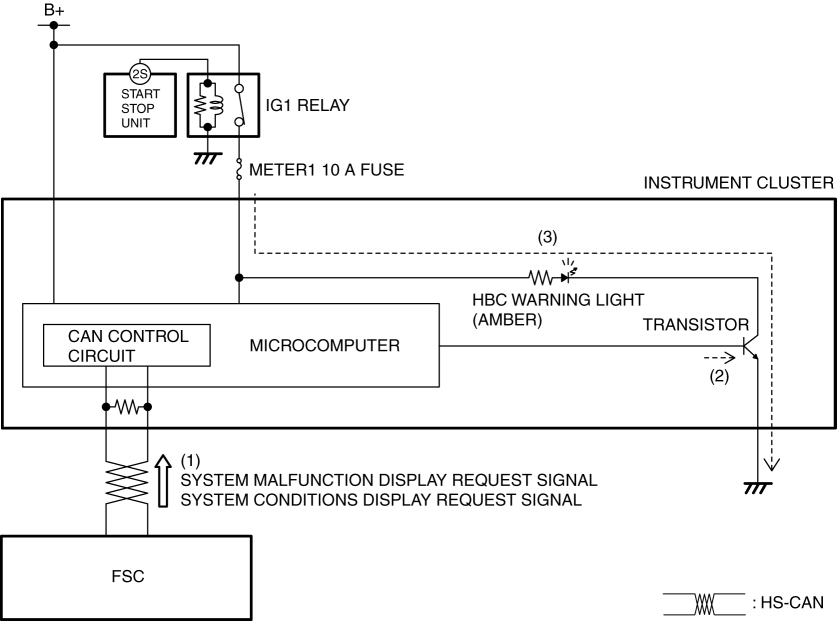
If there is a malfunction in the high beam control (HBC) system, the forward sensing camera (FSC) sends (1) a system malfunction display request signal or system condition display request signal to the instrument cluster via CAN communication.
The instrument cluster turns the transistor on (2) intermittently for a system malfunction indication request signal and continuously for a system conditions display request signal.
When the transistor is turned on intermittently, the HBC warning light (amber) flashes, and when it is turned on continuously, the HBC warning light (amber) turns on (3).
Fail-safe
< Previous Next >
Not applicable